
Download Super SafeBox – Secure Password Manager & Digital Vault
Overview
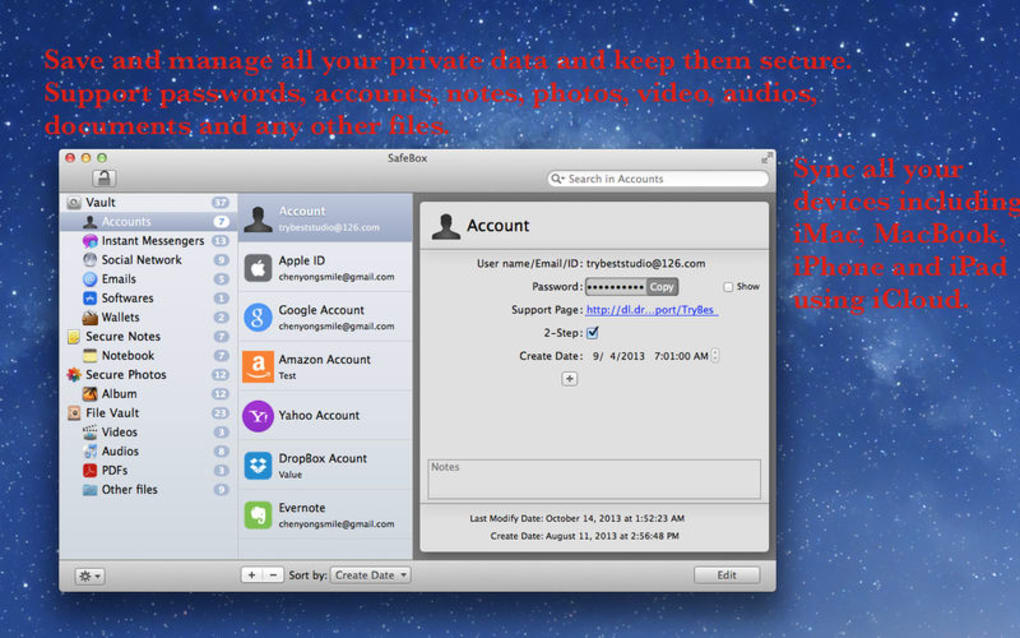
Super SafeBox is a comprehensive password‑manager and digital vault designed to keep every login credential, private document, and media file under one encrypted umbrella. Whether you juggle dozens of email accounts, software licenses, social media profiles, or even sensitive financial details, Super SafeBox lets you store everything safely and retrieve it with a single master password. The app’s built‑in iCloud synchronization means your vault travels with you across iPhone, iPad, Mac, and Windows devices, providing instant access without compromising security. Each entry—whether a password, note, image, audio clip, or PDF—is encrypted locally before it ever reaches the cloud, ensuring that only you hold the decryption keys. The intuitive search function and organized notebooks further reduce the time spent hunting for information, making password fatigue a thing of the past. In short, Super SafeBox transforms a chaotic collection of credentials into a single, secure, and searchable repository.
Key Features & Pros / Cons
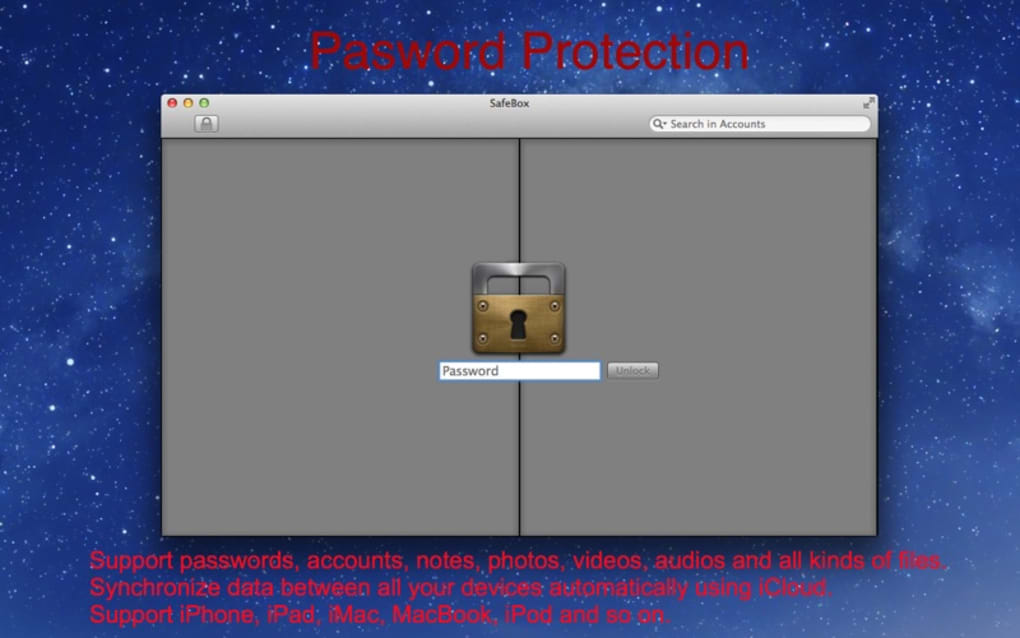
- Master‑Password protection: one strong password unlocks the entire vault.
- End‑to‑end AES‑256 encryption for all stored data.
- iCloud sync across iOS, macOS, Windows, and Android platforms.
- Supports passwords, credit‑card numbers, bank details, software licenses, and more.
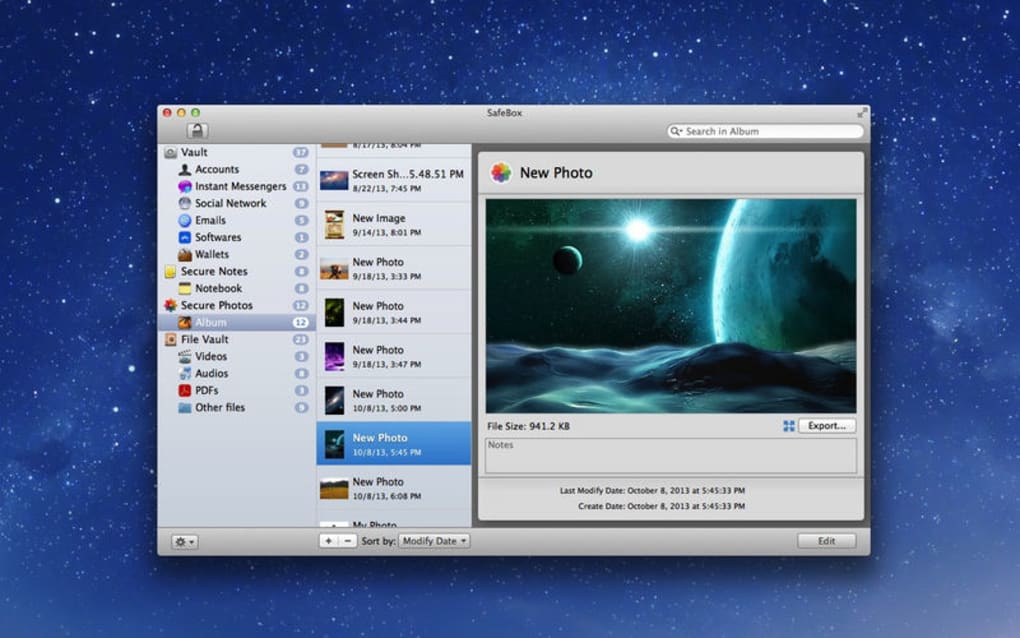
- Secure note‑taking with rich‑text formatting, images, audio, and video attachments.
- Built‑in password generator with customizable length and complexity.
- Automatic security audit to flag weak or reused passwords.
- Quick search bar with filters for type, date, and tags.
- Two‑factor authentication (2FA) integration for added login safety.
- Dark mode and customizable UI themes.
Pros
- All‑in‑one solution eliminates the need for multiple password‑manager apps.
- Strong encryption and local key generation keep data truly private.
- Seamless iCloud sync means no manual backups or export‑import cycles.
- Rich media support (photos, videos, PDFs) expands beyond simple text passwords.
- User‑friendly interface suitable for both tech‑savvy and casual users.
Cons
- Free tier limits the number of stored items; premium upgrade required for heavy users.
- No native Linux client (access via web portal only).
- Two‑factor setup can be confusing for beginners without prior experience.
- iCloud dependency may be a drawback for users preferring Google Drive or Dropbox.
- Occasional sync latency when switching between many devices quickly.
Installation, Usage & Compatibility
Getting started with Super SafeBox is straightforward. Follow these steps to download, install, and begin securing your data:
- Download the installer: Visit the official Super SafeBox website or the App Store/Google Play. Choose the version that matches your operating system.
- Run the installer: On Windows, execute the .exe file; on macOS, drag the app to the Applications folder; on Android/iOS, tap “Install.”
- Create your master password: Use a long, unique phrase combining letters, numbers, and symbols. This password is never stored anywhere else, so write it down once and keep it safe.
- Enable iCloud sync: After the first launch, the app prompts you to sign in with your Apple ID. Accept the sync permission to keep your vault updated across devices.
- Add entries: Click “New Item,” select the type (login, note, file, etc.), fill in the details, and hit “Save.” The app encrypts the data instantly.
- Use the search bar: Type keywords or tags to locate credentials in seconds. Filters let you narrow results by category or date added.
- Set up Two‑Factor Authentication: Navigate to Settings → Security, scan the QR code with your authenticator app, and confirm the generated code.
Supported platforms: Windows 10/11, macOS 10.15 and later, iOS 13 or newer, Android 8.0 or newer. While there’s no dedicated Linux client, users can access their vault through a secure web portal that respects the same encryption standards.
Regular updates are pushed automatically through each platform’s store, ensuring you always have the latest security patches and feature enhancements. The app’s lightweight footprint (< 50 MB) means it won’t slow down your device, and background sync runs only when the device is on Wi‑Fi and charging to preserve battery life.
Frequently Asked Questions
Is Super SafeBox really free?
Super SafeBox offers a fully functional free tier that lets you store up to 25 items. For unlimited entries, cloud backup across unlimited devices, and premium security audits, you can upgrade to the paid plan for $4.99 per month.
How secure is the iCloud synchronization?
All data is encrypted locally with AES‑256 before it ever leaves your device. iCloud only stores the ciphertext, meaning Apple cannot read your vault contents. Sync uses end‑to‑end encryption, so only devices that know your master password can decrypt the data.
Can I import passwords from other managers?
Yes. Super SafeBox includes an import wizard that accepts CSV files from popular managers such as LastPass, 1Password, and Bitwarden. The import process runs locally, preserving encryption throughout.
What happens if I forget my master password?
Because the master password is never stored, Super SafeBox cannot recover it for you. The only option is to reset the vault, which will delete all stored data. We strongly recommend writing down the master password in a secure offline location.
Does Super SafeBox support biometric login?
On devices that support Touch ID, Face ID, or Android fingerprint sensors, you can enable biometric unlocking in Settings → Security. Biometric data is stored only on the device and never transmitted to the cloud.
Conclusion & Call to Action
Super SafeBox delivers exactly what its tagline promises—a single, ultra‑secure umbrella for every digital credential you own. Its blend of strong encryption, seamless iCloud sync, and support for rich media makes it stand out from generic password managers that only handle text. While the free version is generous enough for casual users, power users will appreciate the premium tier’s unlimited storage and advanced security audits. Installation is quick, the interface is clean, and the built‑in search cuts down retrieval time dramatically. If you’ve been juggling dozens of passwords across sticky notes, browsers, and insecure spreadsheets, it’s time to consolidate everything under Super SafeBox.
Ready to protect your digital life? Click the button below to download Super SafeBox for your platform, set a master password, and experience the peace of mind that comes with true end‑to‑end security.







